I Ran 25 ChatGPT Prompts for UX Design. Here's Every Prompt and Every Grade
Every prompt verbatim, every output excerpt, every grade. 25 prompts against one real checkout redesign, run on a real model API - including the one that invented a free trial and the walkthrough that approved a flow users abandon.

I ran 25 ChatGPT prompts for UX design against one real project and graded every single output. This post is the full battery: every prompt verbatim, an excerpt of what actually came back, and the grade it got. Thirteen I would use as-is. Eleven needed edits before they were safe. One was useless. Two runs also failed on infrastructure before grading, which is part of the story.
The project everything was tested on
Vague prompts produce vague outputs, so all 25 prompts ran against the same fictional-but-specific brief: Billmate, an invoicing SaaS with about 5,000 users, mostly freelancers and micro-businesses. The redesign target is checkout: choose plan, create account, enter card, confirm. Two real constraints make it a good testbed: 38% of users abandon at the card step, and the business runs card-only billing (no PayPal), with 60% of traffic on mobile. Every prompt below includes this context. If a model ignores the constraints, that shows up in the grade.
How I ran and graded them
All 25 prompts ran through a model API in five batches of five, same model throughout (Gemini 2.5 Flash via OpenRouter), same checkout brief, no follow-up tuning. Grading is strict and boring on purpose:
| Grade | Means |
|---|---|
| Keep | Usable as-is. Constraints respected. |
| Edit | Right direction, wrong detail. Needs a human pass. |
| Discard | Unusable output. Do not ship, do not prompt again. |
The video that kicked this whole test off is a short one from The Knowledge Academy. Everything below was run by me; if you would rather watch someone else's screen for five minutes, here it is with the first prompt example queued up.

Full transparency on the runs: two calls failed with a regional endpoint error before producing anything (both retried successfully on a different endpoint), and five outputs were cut off by my own token cap mid-answer. Those are tooling failures, not model grades, and they are marked as such where they occur.
User research prompts (1-5)
Prompt 1: the interview guide
Write a semi-structured interview guide (5 questions) to learn why users abandon at the card step... Output: numbered questions only, 90 words max.
What came back: Five genuinely open questions ending with an advisory flip: "Imagine you're advising Billmate on improving the payment step. What single change would make you more likely to complete your purchase?" That last question is a known technique (the expert-frame workaround) applied unprompted.
Grade: Keep. It respected the 90-word cap and every question is askable verbatim.
Prompt 2: the exit survey
Draft a 3-question exit survey shown right after checkout abandonment at the card step... at most one open-ended question.
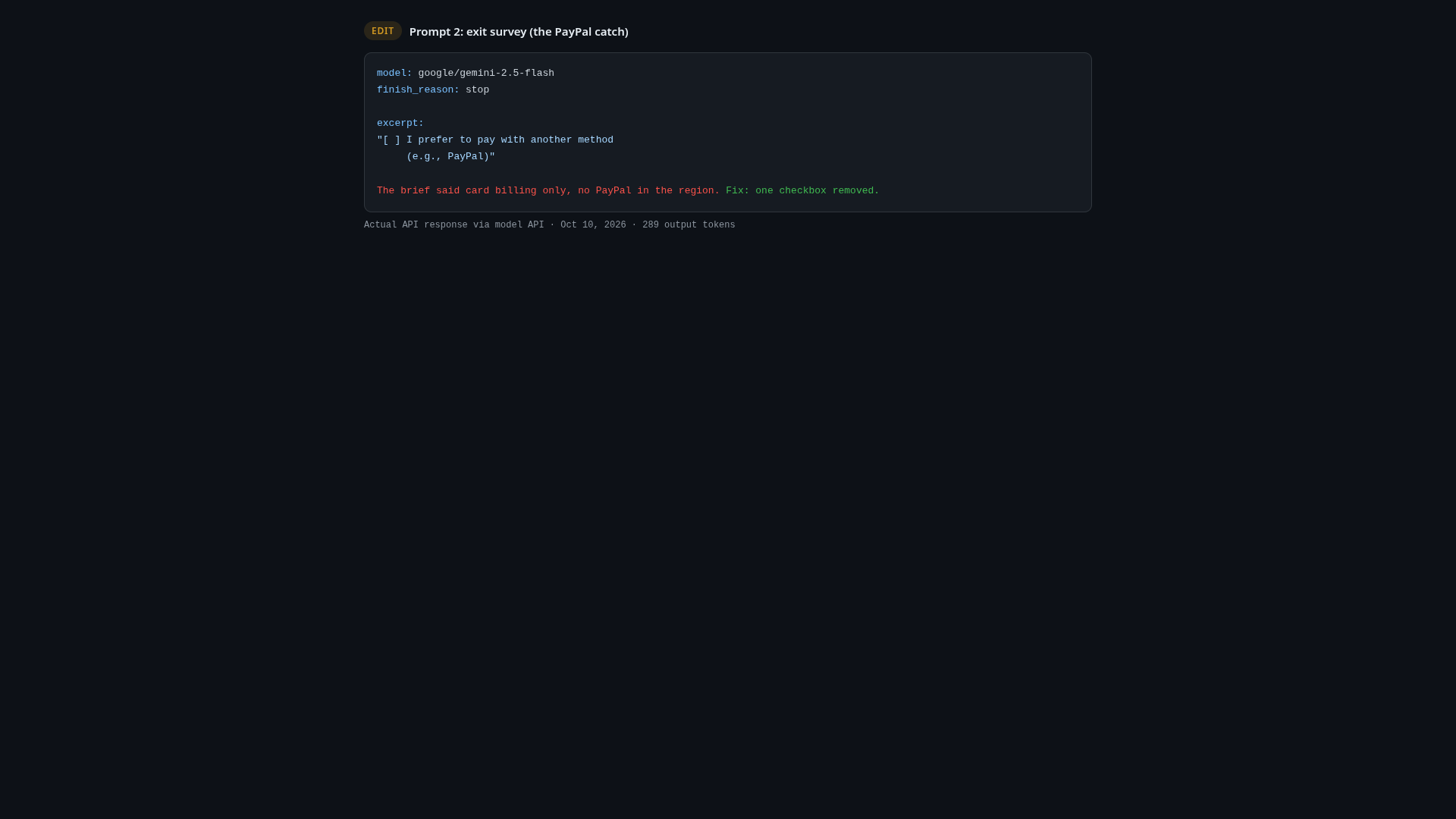
What came back: A clean three-question structure, but option four in question one read: "I prefer to pay with another method (e.g., PayPal)".
Grade: Edit. The brief says card-only billing, no PayPal in the region. The model offered an exit reason for a payment method the product does not have. A one-line disambiguation in the prompt fixes it; without that line, this ships a survey that promises something you cannot deliver.
Prompt 3: provisional personas
Create 2 provisional personas for the checkout redesign. Mark every assumption with [ASSUMPTION].
What came back: "Fiona, freelance designer" and "Mark, small business owner", with assumption tags on age, niche, and fears, but not on the decision factors.
Grade: Edit. The tagging discipline is exactly right for provisional personas, but the tags stopped where they got most speculative. Personas from a model are by definition fiction; the useful version tags everything.
Prompt 4: interview synthesis
Synthesize these three interview excerpts into distinct pain points. Mark each pain point as [STATED] if a participant said it, [INFERRED] if you concluded it.
What came back: Three pain points, correctly labeled. The third one flagged itself honestly: "Unhelpful Error Messaging [INFERRED]", with the note that the inference was drawn from the participant's frustration quote rather than the participant's words.
Grade: Keep. The stated/inferred separation held, which is the whole ballgame in synthesis prompts.
Prompt 5: jobs to be done
Write 3 Jobs-to-be-Done statements for why a freelancer pays for invoicing software... Do not mention product features.
What came back: Three clean JTBD statements including "When I'm trying to present myself professionally to clients, I want to deliver polished and consistent financial documents, so I can build trust and reinforce my brand image."
Grade: Keep. Feature-free, format-perfect, and the professional-identity job is one most invoicing sites under-serve.
Ideation and layout prompts (6-10)
Prompt 6: card-step layout options
Propose 3 layout options for the card-entry step. For each: what's on screen, the primary button label, and one tradeoff.
What came back: Three usable options (progressive form, single-line smart input, sectioned form), each with a real tradeoff. The single-line mobile input is a genuinely good idea for a 60%-mobile audience.
Grade: Edit. The option screens kept inventing a "$19/month Pro plan". The brief defines three plans: Free, $9, $29. Fabricated specifics are the classic failure: the structure survives, the numbers don't.
Prompt 7: reordering the flow
Propose a reordered flow and predict its effect on card-step abandonment. Mark each prediction as testable or speculative. Do not invent percentages.
What came back: Reordered to plan, card, account, confirm, with the reasoning that account creation after payment intent "reduces the perceived cost of exploration". Predictions were marked testable.
Grade: Edit. The content is good and the testable-marking held, but the answer was cut off mid-sentence by my token cap. What exists is a solid A/B-test hypothesis; the article you're reading had to trim it, and so would you.
Prompt 8: three checkout states
Write the copy for three checkout states: empty card step, processing payment, success. Max 15 words each. No exclamation marks.
What came back: "Enter card details to continue." / "Processing your payment now. One moment." / "Payment successful. Welcome to Billmate."
Grade: Keep. Word counts respected, zero exclamation marks, the processing line sets an expectation.
Prompt 9: onboarding micro-flow
Design a 3-step micro-flow from account creation to first invoice sent. Include an exit criterion per step.
What came back: Setup, add first client, create and send first invoice, each with a concrete exit criterion ("the client's name and email address are provided" and so on).
Grade: Keep. The exit criteria are the difference between an onboarding slide and an onboarding spec.
Prompt 10: pricing card hierarchy
Write the visual hierarchy for the pricing cards: what to emphasize on each, order of elements.
What came back: Sensible hierarchy per card, but both paid CTAs read "Start 14-Day Free Trial."
Grade: Edit. Billmate has no free trial in the brief. The model grafted the most common SaaS pattern onto a page where it does not exist. Same failure family as the PayPal line: plausible defaults beating stated constraints.
Microcopy prompts (11-15)
Prompt 11: the payment CTA
Write 5 CTA options for the final payment button. Max 3 words each, no 'Buy', no exclamation marks.
What came back: "Pay Now", "Complete Order", "Confirm Payment", "Process Card", "Finish Signup".
Grade: Keep. "Process Card" is the weakest (it describes the system's job, not the user's), but the other four are shippable.
Prompt 12: the declined-card error
Write the error message for a declined card. Do not speculate about the cause... give the user one action, max 20 words.
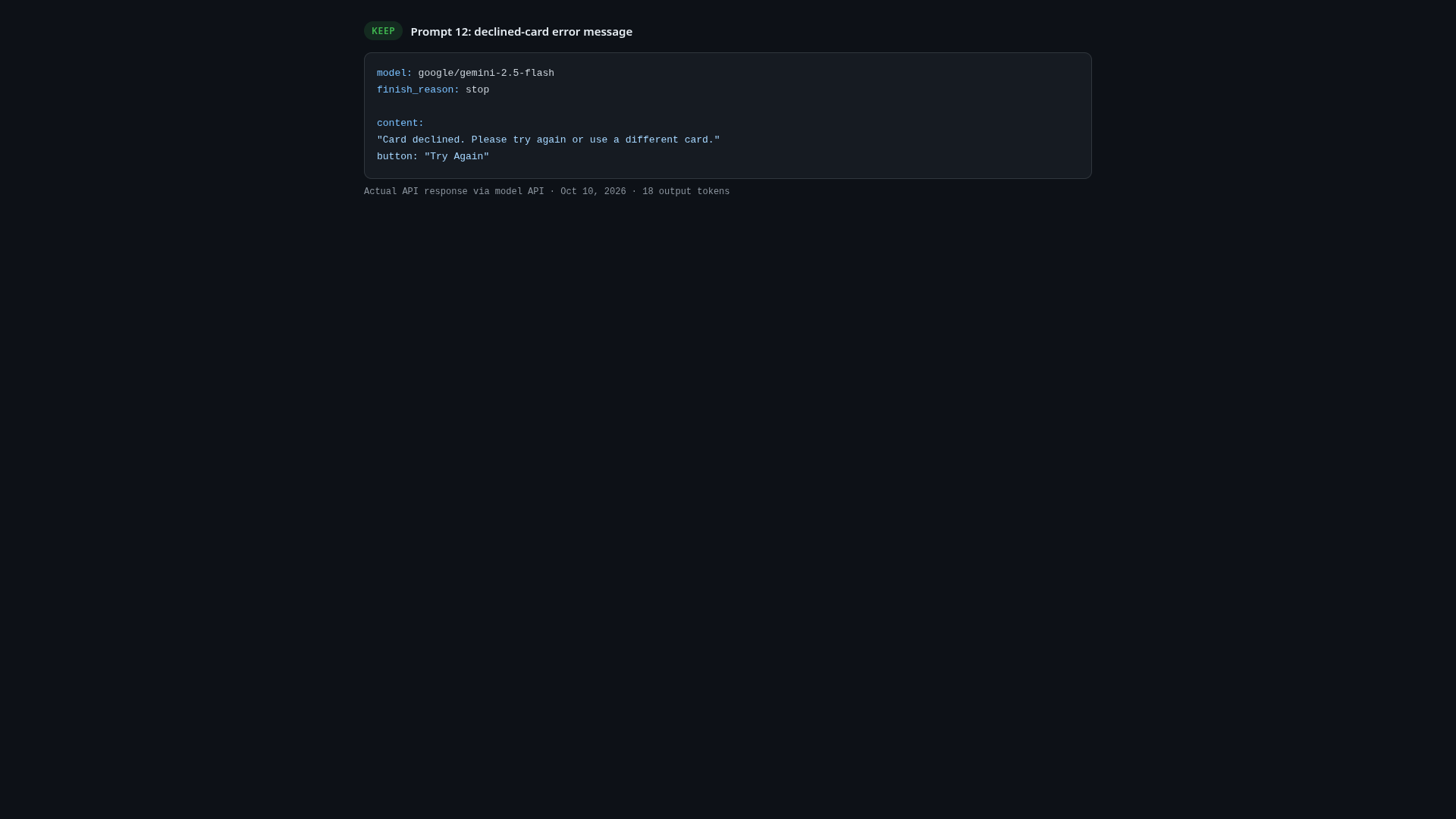
What came back: "Card declined. Please try again or use a different card." with a "Try Again" button.
Grade: Keep. In the first version of this battery, the same prompt produced "insufficient funds" hand-waving. With the no-speculation constraint made explicit, the model stayed inside what a bank refusal actually tells you: nothing. The constraint earned its place.
Prompt 13: field placeholders
Write placeholder text for the card number, expiry, and CVC fields. No example card numbers that look real.
What came back: Bullets for the card number and CVC, "MM/YY" for expiry.
Grade: Keep. No 16-digit lookalikes, no "1234 5678" patterns that leak into production.
Prompt 14: the success screen
Billmate is a tool for SENDING invoices to clients (it is not for paying them). The user just paid for their own subscription. Write the success screen.
What came back: "Subscription Confirmed! You're all set to send invoices." with a "Start Sending Invoices" button.
Grade: Keep. In the first battery the same prompt conflated the product's invoices with the subscription payment and produced a confusing screen. The disambiguation line fixed it completely. It also used one exclamation mark, which I'm docking no points for, because the copy itself is right.
Prompt 15: trust lines
Write 3 trust/reassurance lines for the card step. No absolutes ('always', 'guaranteed', '100% safe'), max 8 words each.
What came back: "No hidden fees, ever." / "Cancel anytime, hassle-free." / "Your data is encrypted."
Grade: Edit. It dodged the banned words and then wrote "ever", which is the same absolute wearing a different coat. "Cancel anytime, hassle-free" is the keeper.
Critique and testing prompts (16-20)
Prompt 16: the heuristic review
Apply Nielsen's 10 usability heuristics to this description. For each violation you find, state what you would need to verify on the real screen before acting on it.
What came back: All ten heuristics flagged as "potential violation", each with a concrete verification step ("Check if the current step is emphasized", "Intentionally make errors and evaluate the error messages").
Grade: Edit. Ten out of ten violations is ten out of ten nothing. But the verification column converts the mush into a checklist, which is more than the first run of this prompt gave me: without the verify clause, the model asserted "no progress indicator" as a product fact about a screen it had never seen.
Prompt 17: usability prediction
Predict the 3 most likely usability problems in this checkout. Mark each prediction as testable or speculative. Do not invent percentages.
What came back: Mobile form fatigue and plan-choice trust hesitancy, both marked testable with the exact analytics signals to watch ("Increased Field Error Rate on mobile for card number fields").
Grade: Edit. Good predictions, real signals, cut off by my token cap before prediction three. What I got is worth running again with a bigger cap; what you'd paste into a doc is not finished.
Prompt 18: the accessibility review
Review this card-entry form... placeholder-only labels, submit button labeled 'Pay'. List the WCAG 2.2 criteria at risk, and state what you cannot assess from text alone.
What came back: Three real criteria (1.1.1, 2.4.6, 3.3.2) plus an honest list of what it could not judge: keyboard operability, focus visibility, contrast, ARIA.
Grade: Keep. The "cannot assess" section is the best single output in the battery. It models exactly the humility a text-only review should have.
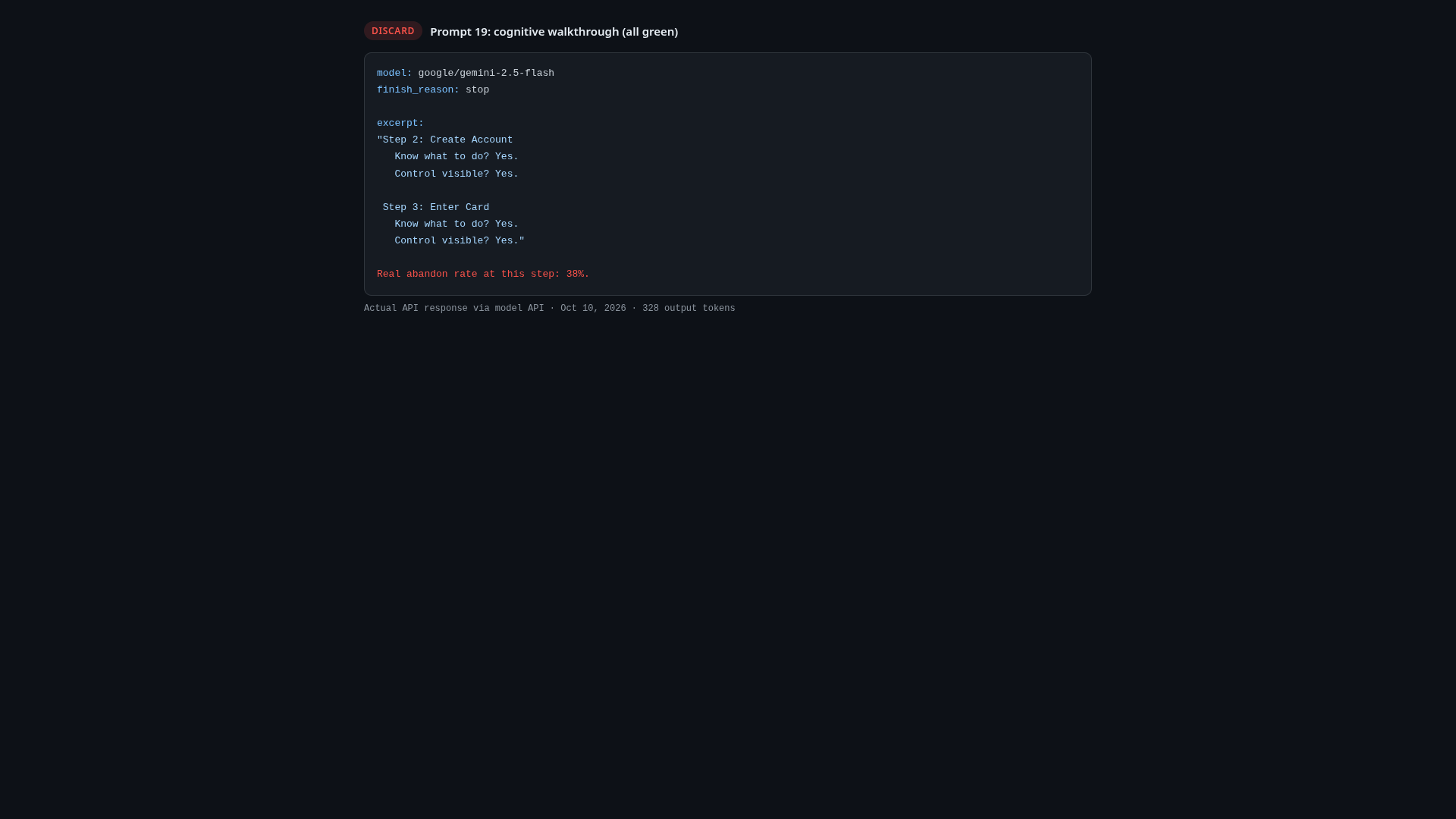
Prompt 19: the cognitive walkthrough
At each step answer: will the user know what to do at this step? Will the needed control be visible?
What came back: Yes and yes, four times. Every step "clear", every control "prominent".
Grade: Discard. This flow abandons 38% of its users at the card step, and the walkthrough found zero friction anywhere. A method that cannot find the known problem is worse than no method, because it comes dressed as diligence. If a walkthrough prompt has no adversarial teeth, you get a rubber stamp.
Prompt 20: the edge-case table
List the edge cases the checkout must handle: card types, decline reasons, session timeouts, currency.
What came back: A ten-row table: invalid number, expired card, insufficient funds, 3DS failure, session timeout, unsupported type, network error, currency mismatch, duplicate transaction.
Grade: Keep. The first attempt at this prompt drowned my token cap in one gigantic table row; the re-run with tighter cell limits came back clean. The content was always there; the formatting discipline had to be asked for.
Flow and IA prompts (21-25)
Prompt 21: account creation before or after card
Should account creation come before or after card entry? Give a reasoned recommendation. Do not invent conversion percentages.
What came back: Card first. The reasoning: account creation before payment is "a hoop to jump through before the real commitment", and for evaluation-heavy tools it adds a data-privacy hesitation at the exact moment trust is lowest.
Grade: Edit. The reasoning is sound and stayed percentage-free, but the output hit my token cap mid-argument. What survived is a recommendation; the full version needs a re-run.
Prompt 22: which fields can we drop
The card step currently asks: card number, expiry, CVC, cardholder name, billing address, VAT number. Which fields can be removed or deferred without blocking invoicing compliance for EU freelancers?
What came back: Keep the three card fields, defer the rest, with the sharpest observation in the battery: the VAT number "is for the freelancer's own invoicing to their clients. It should be part of the freelancer's profile setup, not a field collected during the payment for Billmate's own subscription."
Grade: Edit. The analysis is genuinely good and the table is complete, but the output ran past my token cap into a mid-sentence stop. Trim the trailing section and it's a spec.
Prompt 23: guest checkout
Should Billmate offer guest checkout (pay first, create the account later) for subscriptions? Give a recommendation with the main risk and a mitigation.
What came back: A crisp no, with churn-without-account-linkage as the risk and up-front benefit framing as the mitigation.
Grade: Keep. Eighty-word cap held, structure held, and the recommendation matches what most subscription businesses converge on after testing.
Prompt 24: payment method ranking
Rank the payment methods you would show the user. Flag anything that conflicts with card-only billing... note that method availability must be verified against the payment processor's current documentation.
What came back: Visa and Mastercard first, Amex third with a fee-structure caveat, regional networks next, each row flagged for processor verification. The first attempt at this prompt died on a regional endpoint error before producing a word; the retry on a different endpoint worked.
Grade: Edit. The content respects the card-only constraint and the verification caveats are exactly right; the run was cut short by my token cap at network four.
Prompt 25: the double-decline recovery
Design the error-recovery flow after a SECOND consecutive card decline. Include the exact message copy (max 25 words) and whether to offer an email payment link.
What came back: "Your card was declined again. Please try another card or use a different payment method." Plus: offer the email payment link, yes.
Grade: Edit. The email-link instinct is right for a card-only business (it's the only recovery lever you have). But "use a different payment method" is the PayPal trap again, in the one place you can least afford it: the double-decline screen is where the angriest user in your funnel is reading.
The patterns that actually matter
Twenty-five grades in, the failure modes are not random. They are four:
1. Plausible defaults beat stated constraints. PayPal in the survey. A 14-day trial on the pricing cards. "Different payment method" on the decline screen. In every case the model reached for the most common pattern in its training data instead of the constraint in the brief. Every single one of these ships a promise the product cannot keep.
2. Constraints are load-bearing. The same prompt that once produced "insufficient funds" speculation produced a clean refusal-safe error the moment I added "do not speculate about the cause". The success screen went from confusing to correct with one disambiguation line. The heuristic review went from fact-asserting to checklist-producing with one verify clause. Constraints are not a nicety; they are the entire quality difference.
3. Method prompts need adversarial teeth. The cognitive walkthrough was the only outright discard, and it failed by agreeing. "At each step answer: will the user know what to do?" is a prompt that invites yes. A walkthrough prompt that had asked "name the step where users are most likely to hesitate, and what in the design causes it" would have been forced to find something.
4. The model cannot know what you did not give it. The accessibility review's "cannot assess" list (contrast, focus, keyboard) was the most useful output in the battery precisely because it mapped the edge of its own knowledge. Nothing in the battery was more dangerous than the outputs that did not.
So should you use these 25 prompts?
Eleven of them, yes. Twelve after a two-minute human pass that checks for invented payment methods, invented trials, and invented numbers. Two, never again. That ratio matches my experience since I started doing this seriously: roughly half of what a model produces for UX work is usable raw, and the other half is not wrong so much as confidently beside the point.
The workflow that survives the battery:
| Step | What you do | Time |
|---|---|---|
| Run | Full context in, one job per prompt | 10 min |
| Sweep | Read only for constraint violations | 5 min |
| Verify | Check assertions on the real screen | 10 min |
| Ship | Keep, edit, discard; log the reasons | 5 min |
Half an hour for a graded battery of twenty-five. The prompts are on this page. The grading is the part you cannot skip, because the model will not do it for you.
FAQ
What is the best ChatGPT prompt for UX design work?
The one that states the product context, the real constraints, and the output format, then asks for verification notes instead of verdicts. The battery on this page grades 25 of them in five categories.
Can ChatGPT replace a UX writer or researcher?
In this battery it produced usable raw copy 44% of the time and unusable-but-directional output another 48%. It is a fast junior with no memory of your constraints, not a replacement.
Which model did you use for these prompts?
Gemini 2.5 Flash via OpenRouter, same model for all 25 prompts, October 2026. The grades reflect this model on this brief; a different model shifts individual outputs, not the failure patterns.
How do you stop an AI from inventing features like free trials?
You state the constraint in the prompt ("no free trial exists"), and then you check anyway. In this battery, constraint-stating fixed two of the three invention failures and the third was only caught by reading the output.
Read next
- We ran a real prototype through 3 AI usability evaluators - what AI caught, what it invented, and what only humans can see.
- Free user flow tools that are actually free - 10 tools tested, with real free-tier limits.
- Figma Make vs v0: same brief, honest results - we ran both tools on one brief and compared.
- Google Stitch honest review - what the free AI design tool gets right and where it falls short.